Q1. Write a program in 'C' language that accepts two matrices as input and prints their product
Input: Two matrices A and B in two-dimensional arrays
Output: Matrix C' which is result of AXB in the form of two dimensional array
ANS-1.
1. Header File
#include <stdio.h>
stdio.h ek standard C library hai.
Isme printf() aur scanf() jaise functions available hote hain.
printf() → output print karne ke liye
scanf() → input lene ke liye
2. Main Function
int main() {
Program ki execution main() se start hoti hai.
3. Matrices Declare Karna
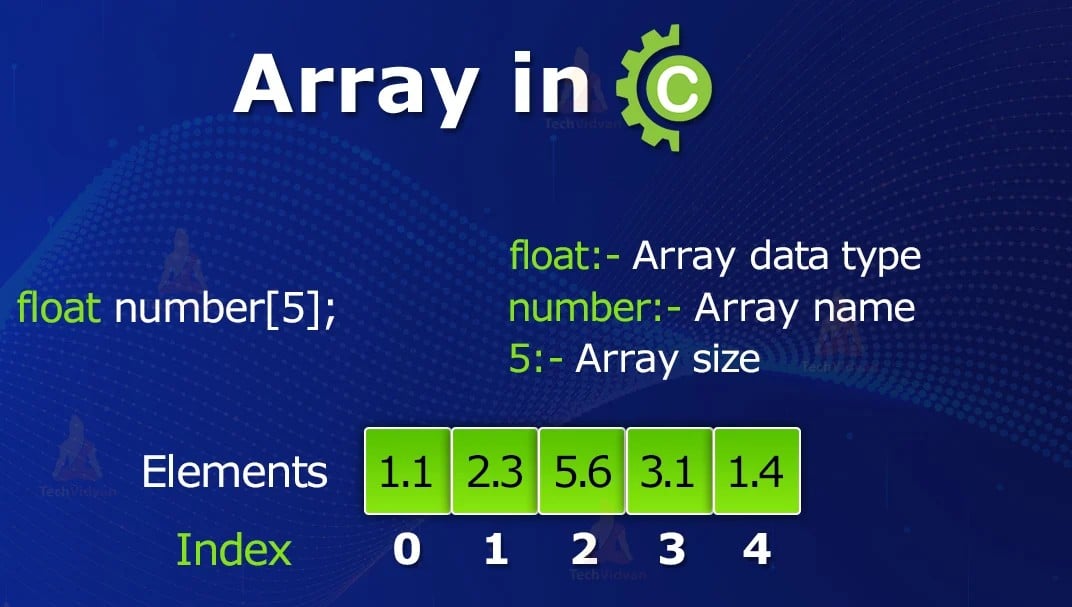
int A[10][10], B[10][10], C[10][10] = {0};
Yahan 3 two-dimensional arrays banaye:
A → First matrix
B → Second matrix
C → Result matrix
A = First Matrix
B = Second Matrix
C = A × B
[10][10] ka matlab maximum 10 rows × 10 columns.
{0} kyun?
C[10][10] = {0};
Result matrix ke saare elements initially 0 honge.
Ye important hai kyunki baad mein hum likhenge:
C[i][j] += A[i][k] * B[k][j];
4. Variables
int r1, c1, r2, c2, i, j, k;
In variables ka meaning:
| Variable | Meaning |
|---|---|
r1 |
Matrix A ki rows |
c1 |
Matrix A ke columns |
r2 |
Matrix B ki rows |
c2 |
Matrix B ke columns |
i |
Row ke liye |
j |
Column ke liye |
k |
Multiplication ke liye |
5. Matrix A ka Size Lena
printf("Enter rows and columns of A: ");
scanf("%d %d", &r1, &c1);User se Matrix A ki:
User se Matrix A ki:
rows
columns
li ja rahi hain.
Example:
2 2
Matlab A hai:
2 × 2
6. Matrix B ka Size Lena
printf("Enter rows and columns of B: ");
scanf("%d %d", &r2, &c2);
Similarly Matrix B ka size input hota hai.
Example:
2 2
Matlab B bhi:
2 × 2
7. Multiplication Possible Hai Ya Nahi?
if (c1 != r2)
{
    printf("Matrix multiplication not possible");
    return 0;
}
Ye sabse important condition hai.
Matrix multiplication ke liye:
A ke columns = B ki rows
Example:
A = 2 × 3
B = 3 × 2
Multiplication possible hai because:
3 = 3
Lekin:
A = 2 × 3
B = 2 × 2
Possible nahi hai because:
3 ≠ 2
8. Matrix A Input
printf("Enter matrix A:\n");

for(i = 0; i < r1; i++)
    for(j = 0; j < c1; j++)
        scanf("%d", &A[i][j]);
Yahan nested loop use hua hai.
Outer loop
for(i = 0; i < r1; i++)
Rows ko control karta hai.
Inner loop
for(j = 0; j < c1; j++)
Columns ko control karta hai.
scanf("%d", &A[i][j]);
Input Har position par value store hoti hai.
For example:
1 2
3 4
Array mein:
A[0][0] = 1
A[0][1] = 2
A[1][0] = 3
A[1][1] = 4
9. Matrix B Input
printf("Enter matrix B:\n");

for(i = 0; i < r2; i++)
 for(j = 0; j < c2; j++)
 scanf("%d", &B[i][j]);
Exactly same process Matrix B ke liye.
Example:
5 6 7 8
⭐ 10. Main Matrix Multiplication
Ye program ka sabse important part hai:
for(i = 0; i < r1; i++)
    for(j = 0; j < c2; j++)
        for(k = 0; k < c1; k++)
            C[i][j] += A[i][k] * B[k][j];
Yahan 3 loops hain.
i → Row
for(i = 0; i < r1; i++)
Result matrix ki row select karta hai.
j → Column
for(j = 0; j < c2; j++)
Result matrix ka column select karta hai.
k → Multiplication
for(k = 0; k < c1; k++)
A aur B ke corresponding elements ko multiply karta hai.
Example se samjho 🔥
Suppose:
A = 1 2 3 4
and
B = 5 6 7 8
Toh:
C[0][0] C[0][0] =    A[0][0] × B[0][0]
                    +A[0][1] × B[1][0]
    = 1×5 + 2×7

    = 5 + 14

    = 19
C[0][1]
= 1×6 + 2×8
= 6 + 16
= 22
C[1][0]
= 3×5 + 4×7
= 15 + 28
= 43
C[1][1]
= 3×6 + 4×8
= 18 + 32
= 50
So final result:
19 22
43 50
11. Result Print Karna
printf("Product Matrix C:\n");

for(i = 0; i < r1; i++)
{
    for(j = 0; j < c2; j++)
        printf("%d ", C[i][j]);

    printf("\n");
}
Ye result matrix ko row-by-row print karta hai.
Output:
Product Matrix C:
Product Matrix C:
19 22
43 50
12. Program End
return 0;
Iska matlab program successfully end ho gaya.
🧠 Exam ke liye yaad rakhne wali 3 cheezein
1️⃣ Matrix declaration
int A[10][10], B[10][10], C[10][10] = {0};
2️⃣ Multiplication condition
Columns of A = Rows of B
3️⃣ Main formula
C[i][j] += A[i][k] * B[k][j];
Simple trick: i = Row, j = Column, k = Multiply & Add.
Let see the Overall Code
#include <stdio.h>

int main()
{
    int A[10][10], B[10][10], C[10][10] = {0};
    int r1, c1, r2, c2, i, j, k;

    printf("Enter rows and columns of A: ");
    scanf("%d %d", &r1, &c1);

    printf("Enter rows and columns of B: ");
    scanf("%d %d", &r2, &c2);

    if (c1 != r2)
    {
        printf("Matrix multiplication not possible");
        return 0;
    }

    printf("Enter matrix A:\n");
    for(i = 0; i < r1; i++)
        for(j = 0; j < c1; j++)
            scanf("%d", &A[i][j]);

    printf("Enter matrix B:\n");
    for(i = 0; i < r2; i++)
        for(j = 0; j < c2; j++)
            scanf("%d", &B[i][j]);

    for(i = 0; i < r1; i++)
        for(j = 0; j < c2; j++)
            for(k = 0; k < c1; k++)
                C[i][j] += A[i][k] * B[k][j];

    printf("Product Matrix C:\n");
    for(i = 0; i < r1; i++)
    {
        for(j = 0; j < c2; j++)
            printf("%d ", C[i][j]);
        printf("\n");
    }

    return 0;
}
Example
Input:
Enter rows and columns of A: 2 2
Enter rows and columns of B: 2 2

Enter matrix A:
1 2
3 4

Enter matrix B:
5 6
7 8
Output:
Product Matrix C:
19 22
43 50
Main Formulla:
C[i][j] = C[i][j] + A[i][k] × B[k][j]
Condition: c1 == r2 must be true for A × B multiplication.
If u have to run the Code: